Can You Run TypeSafe Jev Locally? When an In-House Sorting Step Makes Sense
Jev is hosted only. A local classifier can handle one sorting step in-house, but in our check it was English-only, weaker on unseen text, and not a privacy shortcut.
— Craig Major
Short answer: TypeSafe Jev is a hosted model; the reviewed channels process it in the United States. You cannot put that service on your own machine. A separate local classifier may handle a narrow sorting task in-house, but it needs its own training, controls and human review. It does not inherit Jev’s behaviour or settle privacy duties.
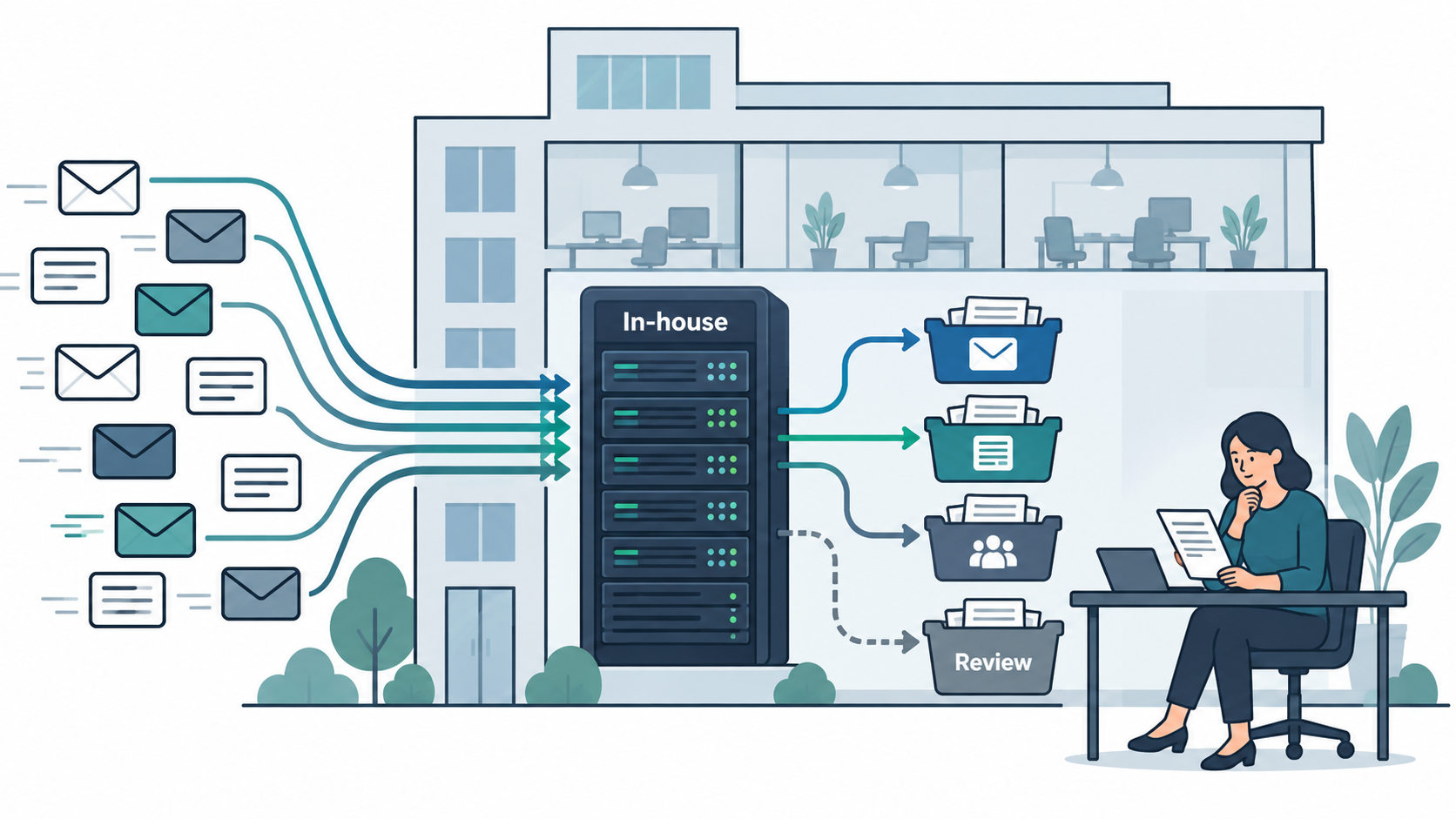
If data location is the reason for asking, start with the Canadian privacy guide. This article addresses the technical choice for one classification step. It does not give a legal conclusion about a complete workflow.
Why people ask
A team may like the idea of giving an AI system text and a defined list of answers, but hesitate to send customer, employee or financial material to a US-hosted service. It may need a Canadian processing path, want greater control over uptime or have a narrow task that can be solved without a hosted model. Those are legitimate questions about the system, not evidence that any local tool will be accurate enough.
TypeSafe’s API documentation describes a hosted Jev service, and its privacy policy says the service is hosted in the United States. The September 26 research found no Canadian processing option for Jev through the reviewed gateways. A local classifier is a different product category and must be evaluated on its own merits.
A useful first question is whether the task truly needs an AI model. If a supplier email can be identified by a reliable address or an invoice can be flagged by an exact accounting rule, ordinary code may be simpler. An in-house sorting step is more interesting where the text varies but the allowed categories and human review policy are clear.
What local tools can and cannot do
Local tools can classify text on hardware you control. Some require training on your labelled examples; others accept categories without task-specific training. The hardware and software still need maintenance, access controls, monitoring and a fallback when an answer is uncertain. The model does not become a PDF reader, a calculator or a policy owner simply because it is local.
One open-source project checked in the research, RuVector, presents an in-house sorting step. A developer post and the project README claim 83.3% for the local tool against 85.3% for Jev. That is their claim on their setup. Our reading of the linked test fixtures found that 127 of 150 test tickets shared sentences with training examples. The comparison was between a trained local classifier and Jev without task-specific training, so the headline figures should not be treated as a like-for-like general result.
Flowgrammer’s small September 26 spot check of that in-house sorting step found zero-shot results around 44–51%, sentence-disjoint performance of 68.9%, and trained results around 85–87% in the tested conditions. It scored 28.7% on urgency. The check also observed roughly 17 milliseconds at the 95th percentile, English-only handling with French failure, truncation at 256 tokens, no server authentication and an early v0.1.0 release with one maintainer. These are observations from a small check, not a production benchmark or a claim about all local models.
The main lesson is about test design. If a test case looks very much like its training examples, a score may reflect that overlap. Hold out examples by source or phrasing so the tool must handle genuinely new text. Measure the hard categories separately, particularly “urgent” and “needs a person.” A fast answer to the wrong question does not help an operations team.
When an in-house step fits, and when it does not
A coarse, stable sort can be a reasonable candidate. For example, incoming text might be routed to “document,” “supplier question” or “other” for a person to inspect. The category list and action can be written down, and enough labelled examples can be gathered to evaluate mistakes. A person remains responsible for uncertain and consequential items.
A document process still needs OCR before any text classifier sees a scanned page. The document classification guide describes that separation. Accounts payable triage may use a coarse label, but totals, tax, duplicate checks and payment approval remain elsewhere. A lead-qualification flow may need several small questions rather than one broad “good lead” judgement.
The spot-checked tool was a poor basis for claiming performance on French, long documents or urgency. It truncated after 256 tokens, and French failed in the small check. A company with bilingual inputs or high-cost emergency routes needs a different option or a person for those cases. Even for English text, trained results on one sample do not establish that a new sender’s message will be sorted correctly. Write down the cases that should always bypass automatic routing.
An in-house system may also be a poor operational fit if nobody can maintain its version, security and test set. A hosted service and a local model each have costs and constraints. Compare the complete workflow, not a speed figure from one component.
How it sits in a human-led system
The design is simple to state: incoming text → in-house sorting step → rule check → routine queue or human review. The person who owns the workflow decides the labels, the threshold and the response to an error. The model proposes a category; code applies explicit limits; a reviewer handles uncertainty and exceptions. The intelligent document processing guide shows how a classifier fits between text extraction and later business action. The human-led AI design guide covers ownership.
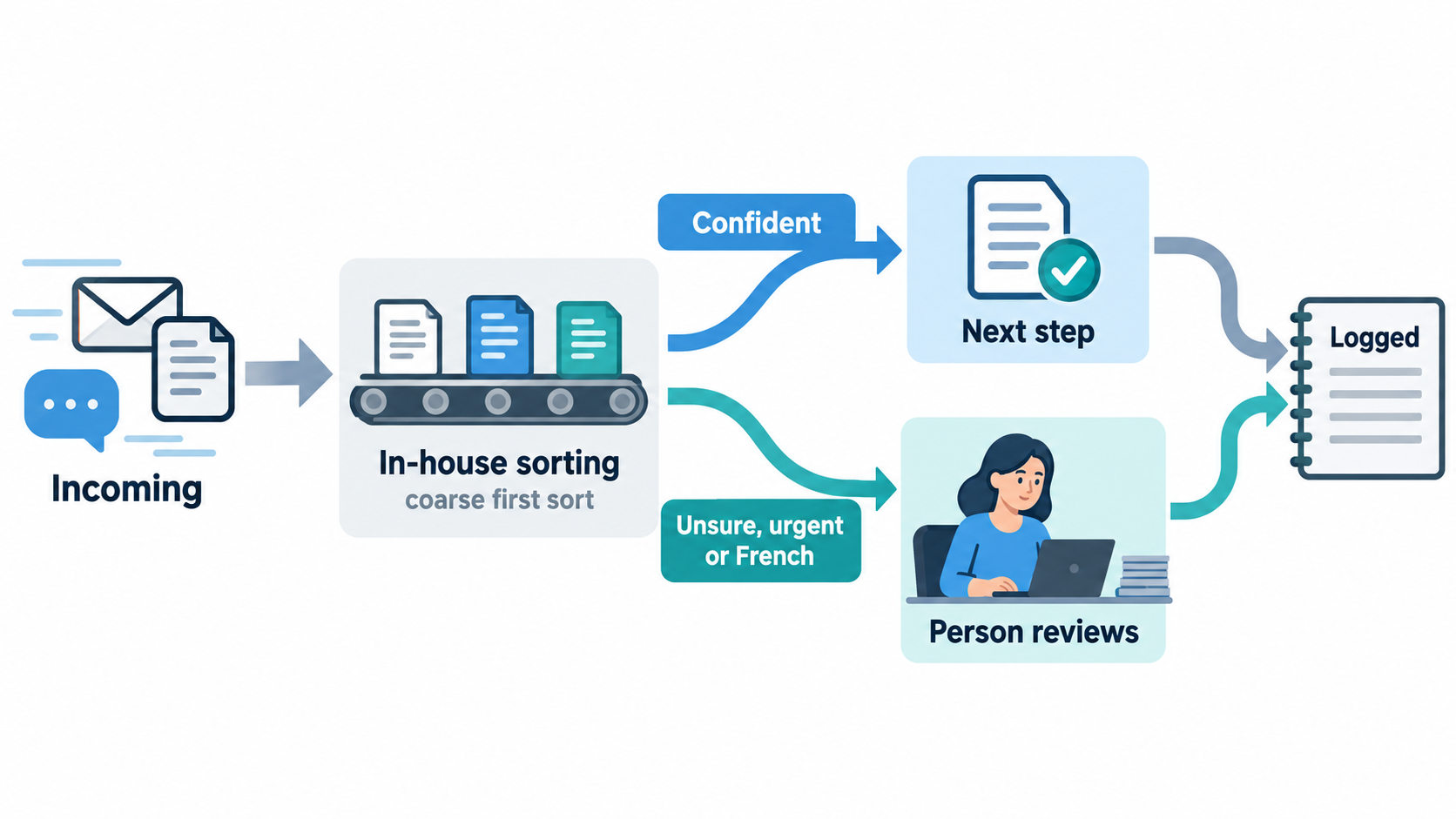
Keep a record of the question, selected label, model version, threshold, action and any human correction. Sample items that passed automatically so quiet errors are visible. If a model call fails, a new category appears or the text is too long, fail to a person rather than forcing a convenient label. For French or urgent cases, the spot-check evidence suggests a human route until a different approach has been validated.
This does not mean every message needs manual review forever. It means the automatic lane earns its scope from labelled examples and monitoring. The team can expand it only after showing that the error pattern and review capacity are acceptable for that specific job.
Privacy: what changes and what does not
Running a classification step on your own machines removes the external transfer for that step if the text truly stays there. It does not change where the incoming email is hosted, where OCR runs, where backups live or where later summaries go. Map the entire data path before claiming that a workflow stays in Canada. Training and test examples can contain personal information, and the model’s logs can too.
Under PIPEDA guidance, an organisation remains accountable for personal information it controls and must use safeguards and appropriate arrangements for processors. Quebec’s section 3.3 addresses privacy impact assessment for new or overhauled systems involving personal information. A local step may change the section 17 transfer question for that step, but it does not erase assessment, retention, security or the way a person can question a decision. The Canadian privacy guide covers the relevant provisions and provider questions.
Quebec's Law 25 (s.12.1) sets duties for decisions 'based exclusively on automated processing'. The law doesn't list which systems count. Whether auto-routing a lead, a document or a call is covered depends on how your system works, for example whether a person looks at or can change the result before it takes effect. That's a question for your own lawyer. Either way, we design for it: a human review path, a log of each question, answer, probability, model version and threshold, and a way for anyone affected to reach a person.
No hosting choice makes a system compliant by itself. This is general information, not legal advice. Check with your own lawyer about your data and your obligations.
Other alternatives
An in-house sorting step is one option. Open decision models, small local language models, trained classifiers and hosted classification services are compared in the alternatives guide. Use the same labelled examples and review policy to compare them.
FAQ
Can you run TypeSafe Jev locally?
No. TypeSafe offers Jev as a hosted service, and the reviewed channels process it in the United States. A local classifier can perform a separate, narrower sorting task on your own machines. It requires its own test set, maintenance and review path. Results for one local tool should not be treated as Jev performance or as a promise for your data.
Is there an open-source version of Jev?
The research found open-source decision models and classifiers that can be run locally, but no open-source release of TypeSafe Jev itself. One in-house sorting step we checked needed task examples for its stronger results and had limits on language and input length. Treat it as a separate tool with a separate evidence base, not a copy of the hosted service.
When does an in-house sorting step make sense?
It makes sense when the sort is narrow and stable, you can label representative examples, a person can handle uncertainty, and keeping that one text-classification step on your own systems matters. In our small check, one local tool struggled with urgency and French and truncated long inputs. Test those cases directly before routing them automatically.
Does a local AI model make you PIPEDA or Law 25 compliant?
No. Keeping a classification call on your own machines may remove that call’s foreign transfer. The rest of the workflow, training examples, logs, safeguards, retention and human decision path still need review. Neither PIPEDA nor Quebec duties can be settled by the model’s location alone. This is general information, not legal advice. Check with your own lawyer.
Next step
If a funded workflow needs an in-house sorting step, contact Flowgrammer about an AI Automation System with a tested review path.